Troubleshoot
Troubleshoot guide
- How to troubleshoot container build failure?
If your container build fails, you can check the build details by checking the logs in build details email as shown in below screenshot.
email screenshot:
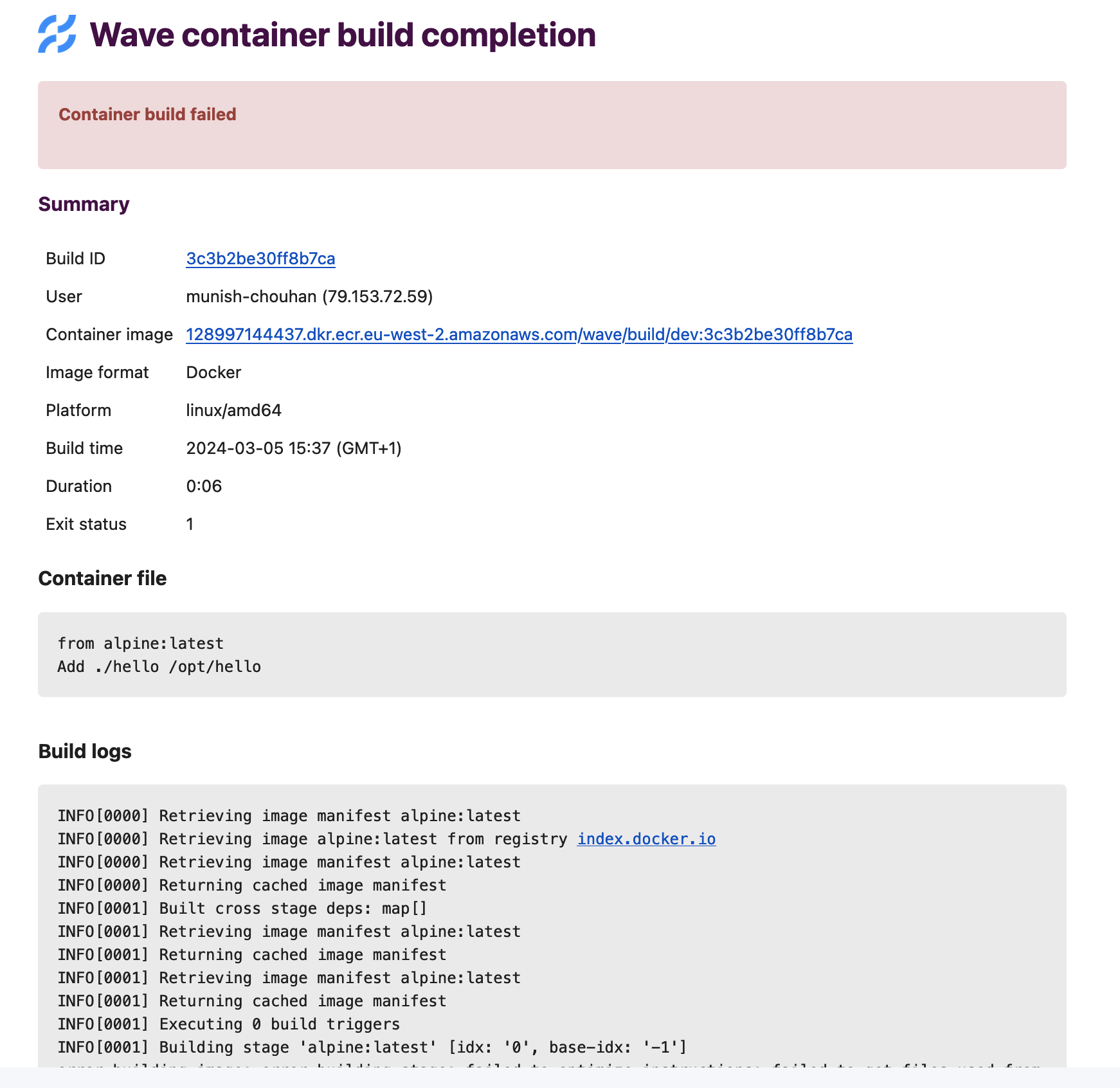
If there is nothing conclusive in logs, you can check the exit status, e.g. if it is 137 that means out of memory error. Wave run build process in Kubernetes pod, you can check this link for more details on exit codes.
- How to solve buildkit error, while running wave build on Docker desktop in mac os?
error:
could not connect to unix:///run/user/1000/buildkit/buildkitd.sock after 10 trials
========== log ==========
[rootlesskit:parent] error: failed to start the child: fork/exec /proc/self/exe: invalid argument
sh: can't kill pid 14: No such process
Solution:
- In case of wave cli use
--platform linux/arm64flag with wave build command. - In case of API call use
containerPlatform: linux/arm64in the request body.
Registry push and authentication failures
When Wave cannot push a built or mirrored image, or cannot authenticate to a registry, the failure usually matches one of these symptoms:
- No credentials match the target host. Wave returns an authentication error at token-request time, before BuildKit or Skopeo launches. This is the fastest failure to diagnose. Confirm you configured credentials for the target registry.
- The repository does not exist and the registry requires pre-creation. The push fails with
403 Forbiddenor404 Not Foundpartway through the layer upload, often after an initialHEADsucceeds but the final manifestPUTfails. Pre-create the repository. For per-registry rules, see Registry pre-creation. - Credentials exist but lack push scope. The push typically returns a
403on the final manifestPUTeven though layer uploads appear to work. Check the credential's scope forpush,write, ordeploypermission. - The repository key is missing from the path (JFrog Artifactory). The push fails with
404. Confirm the repository key is the first path segment after the host, for exampleartifactory.example.com/docker-local/.... - The registry exists but the configured AWS credentials or role target the wrong region or account. For ECR, a misaligned
aws.regionor jump-role configuration produces STSAccessDeniederrors in the Wave service logs. These errors appear when Wave exchanges the configured credentials for an ECR auth token, before the build pod launches.
Builds fail on Bottlerocket nodes
BuildKit requires user namespaces, and Bottlerocket sets user.max_user_namespaces=0 by default. Every build fails on an otherwise correct Wave build deployment. To resolve, raise the limit on your build nodes. A value of 63359 is reasonable. Values that are too low cap concurrent build capacity and cause intermittent failures.
Set it at boot through the node group's startup script or user data. That route is preferred because it needs no privileged containers. If you cannot change node configuration directly, apply it with a DaemonSet scoped to the build nodes:
apiVersion: apps/v1
kind: DaemonSet
metadata:
  labels:
    app: sysctl-userns
  name: sysctl-userns
spec:
  selector:
    matchLabels:
      app: sysctl-userns
  template:
    metadata:
      labels:
        app: sysctl-userns
    spec:
      containers:
        - name: sysctl-userns
          image: busybox
          command: ["sh", "-euxc", "sysctl -w user.max_user_namespaces=63359 && sleep infinity"]
          securityContext:
            privileged: true
      affinity:
        nodeAffinity:
          requiredDuringSchedulingIgnoredDuringExecution:
            nodeSelectorTerms:
              - matchExpressions:
                  - key: service
                    operator: In
                    values: ["wave-build", "wave-build-arm64"]
For more on Bottlerocket settings, see the Bottlerocket FAQs.